Quick start: Set up your brand
This is the step that makes EchoRelay sound and look like you, not like a machine. Do it once per brand and every post you generate afterwards inherits it.
1. Name the brand and say what it is
Section titled “1. Name the brand and say what it is”Where: Brand & Voice → Brand Kit
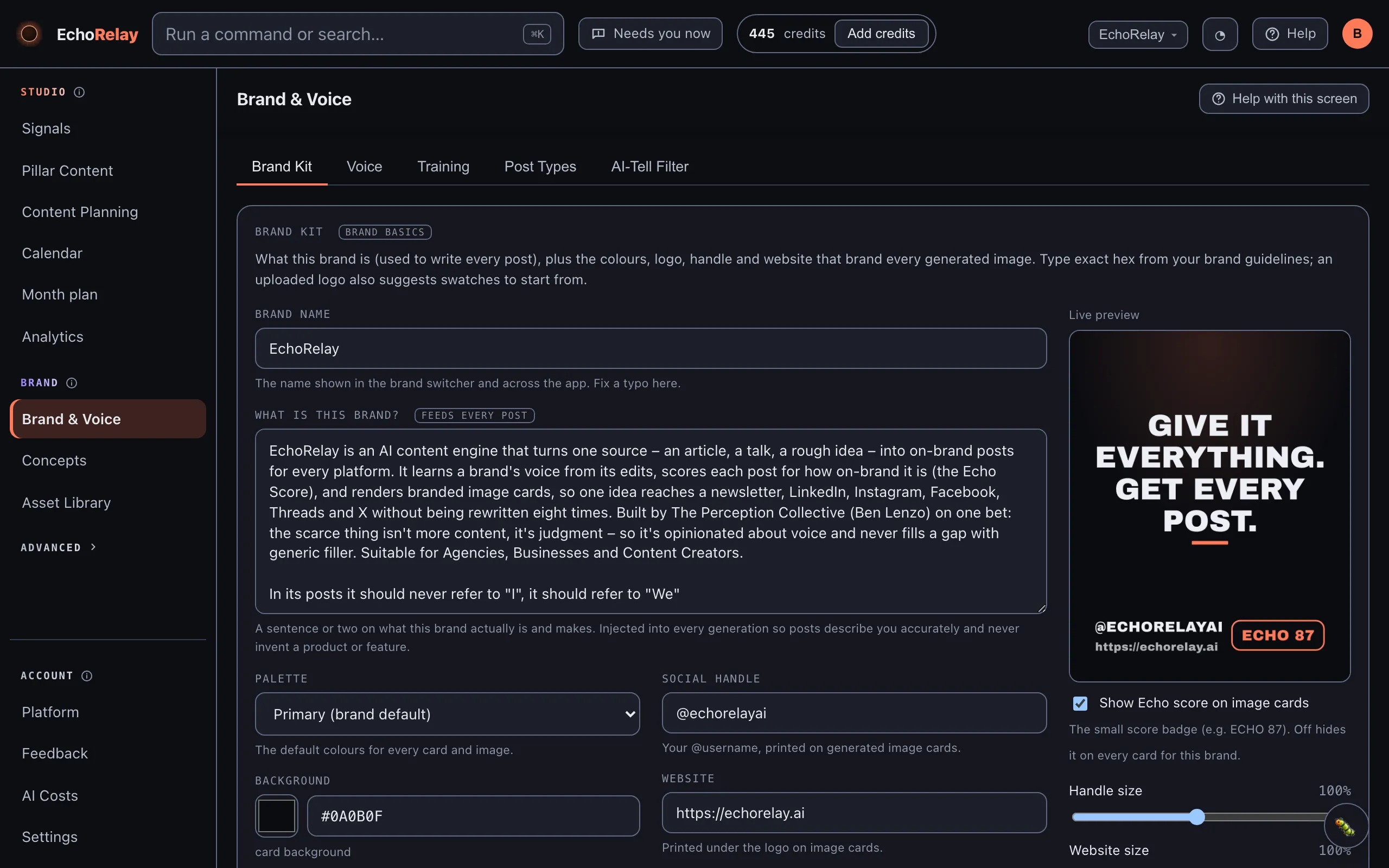
Give the brand a name, then write one plain line on what it actually is and makes. That line is fed into every generation, so the AI describes you accurately and never invents a product or feature you do not have. Keep it to what is true: what it is, who it is for, what it does.
2. Set your look
Section titled “2. Set your look”Where: Brand & Voice → Brand Kit
Add your colours, logo, handle and website. You can keep a Primary palette plus optional Secondary and Tertiary palettes, chosen per card or image at generation time. These are what print on your branded image cards, so getting them right here means every card is on-brand without extra work.
Colours, palettes, logo, handle and website all live on the same Brand Kit screen shown above, with a live card preview on the right.
3. Fill your Asset Library
Section titled “3. Fill your Asset Library”Where: Asset Library
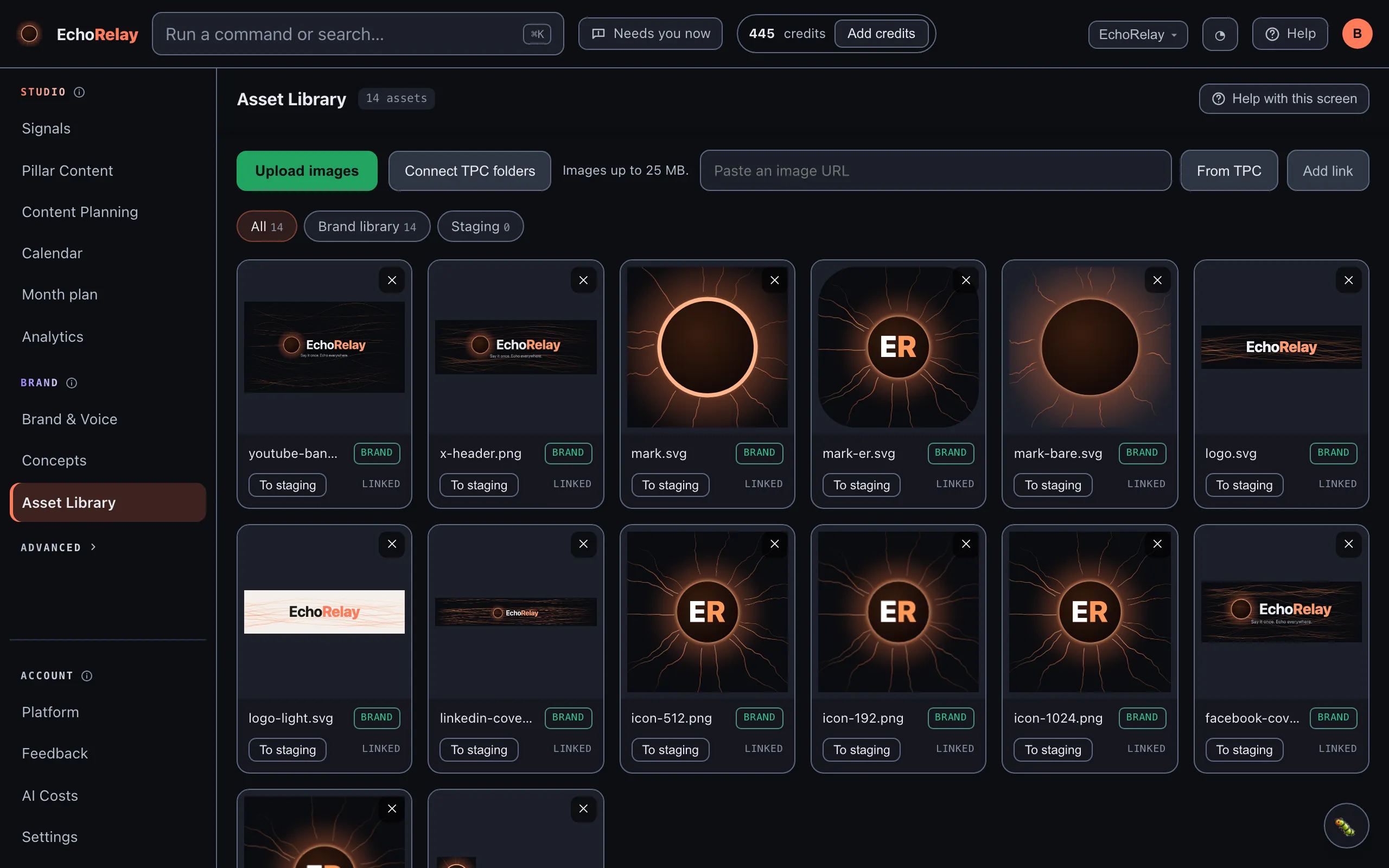
Upload your real images: product shots, brand photos, anything you would actually post. EchoRelay can pull from these when it builds a post, and it can learn your visual style from them for the next step.
4. Train your voice
Section titled “4. Train your voice”Where: Brand & Voice → Training
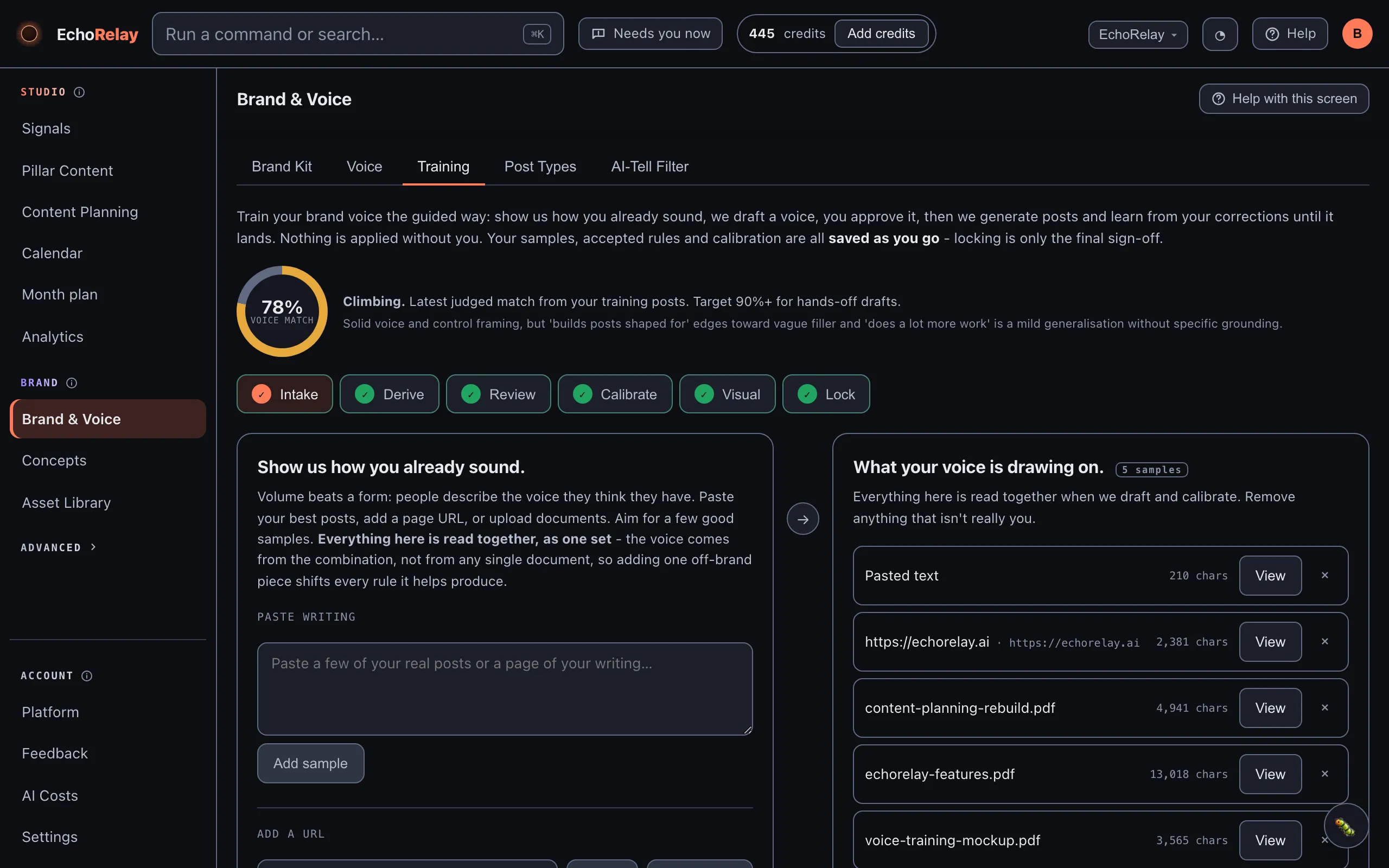
Paste a few real writing samples. EchoRelay reads them and drafts your voice as a set of plain rules; you approve the ones that fit. Then it writes practice posts and you correct anything off, and it learns from each correction. Keep going until the practice posts sound like you: the voice-match score climbing past 90% is the signal it has landed.
5. Teach it your look (optional)
Section titled “5. Teach it your look (optional)”Where: Brand & Voice → Training → Visual
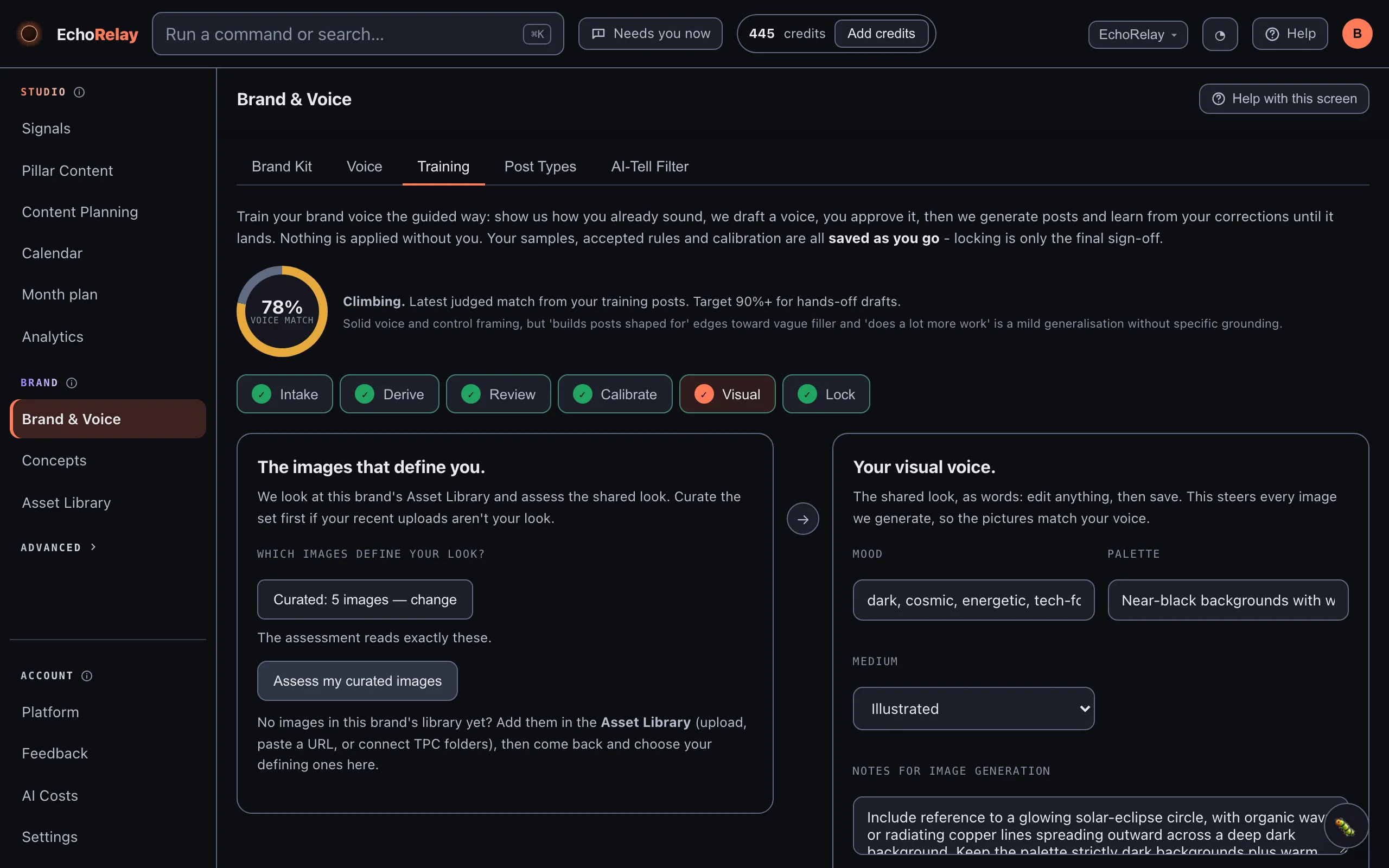
In the Visual step, let EchoRelay assess your library images so the pictures it generates match your style, not just your words. Optional, but it is what makes generated creative images feel like yours.
You’re set up when
Section titled “You’re set up when”- The brand has a name and a true “what it is” line
- Colours and logo are set
- A few real images are in the Asset Library
- Voice is trained and the practice posts sound like you
Next: Make and post content →