Publishing
There are three ways to get a post out of EchoRelay. You set them up in Settings → Publishing, and you can connect more than one and choose per post.
- Direct - straight to the platform, no middleman. The fastest way, and it feeds the Echo Score.
- Metricool - EchoRelay hands the post to Metricool, and Metricool posts it. Good for platforms you have not connected directly.
- Post Bridge - a cheap way to post to many platforms at once. It sends only, so nothing comes back for the Echo Score to learn from.
Open Settings → Publishing and pick a method from the dropdown to set it up. You only see the settings for the method you picked.
Direct
Section titled “Direct”Direct is the simplest to use: EchoRelay posts straight to your account, so there is no other tool in the middle. It works for Facebook, Instagram, Threads and LinkedIn, and it can both Publish now and Schedule.
To connect each one, go to Settings → Publishing → Direct and press Connect:
- Facebook - connects a Facebook Page you manage. If an Instagram account is linked to that Page, this covers it too.
- Instagram - use this for an Instagram account that is not linked to a Facebook Page. You sign in with Instagram itself.
- Threads - its own connection, separate from Instagram and Facebook. Sign in with the Threads account.
- LinkedIn - post as a company Page you manage, or as your own profile.
Once a platform shows Connected, EchoRelay uses it automatically for that platform - both when you Publish now and when you Schedule.
Metricool
Section titled “Metricool”Use Metricool for platforms you have not connected directly, or ones EchoRelay cannot post to on its own (like X, YouTube, TikTok or Google Business).
- In Metricool, connect each brand and its social accounts.
- In EchoRelay, go to Settings → Publishing → Metricool and add your Metricool token, then this brand’s Metricool IDs.
- Choose which platforms this brand publishes through Metricool.
EchoRelay hands the finished post to Metricool, and Metricool posts it to the networks. Where Metricool reports performance back, that feeds the Echo Score.
Post Bridge
Section titled “Post Bridge”Post Bridge is a cheap way to post to many platforms at once. Add your Post Bridge token in Settings → Publishing → Post Bridge.
It sends only - no performance data comes back - so the Echo Score cannot learn from these posts. Pick it when reach and cost matter more than measuring results.
Schedule vs Publish now
Section titled “Schedule vs Publish now”Every post ends at the Schedule step, and you have two choices there:
- Schedule places the post on a future date. It shows on the Calendar and goes out at the time you pick.
- Publish now sends it straight away. It asks you to confirm first, because it cannot be undone.
Direct connections can both Schedule and Publish now. If a platform is only set up through Metricool, scheduling goes through Metricool’s planner.
Removing a scheduled post also removes it from wherever it was queued.
Which one should I use?
Section titled “Which one should I use?”| You want | Use |
|---|---|
| The fastest path, and the Echo Score to learn | Direct (where the platform supports it) |
| A platform EchoRelay can’t post to directly (X, YouTube, TikTok, Google Business) | Metricool |
| Cheap posting to lots of platforms, analytics not needed | Post Bridge |
You are not locked in: connect more than one, set a default, and override it per post.
Calendar and Analytics
Section titled “Calendar and Analytics”The Calendar shows everything scheduled.
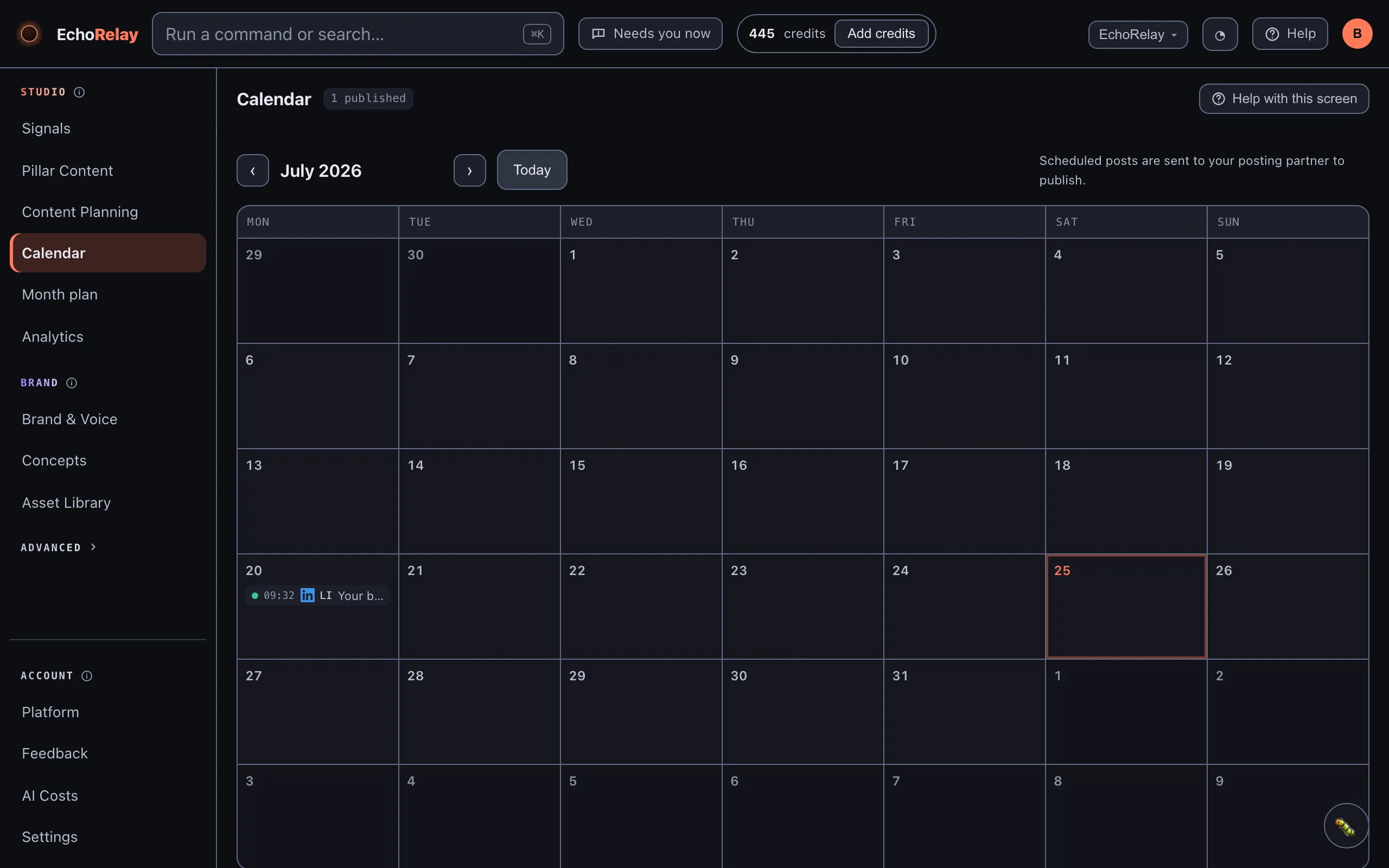
Analytics pulls performance back from Direct connections and from Metricool where it reports it - Post Bridge posts have no analytics, which is flagged when you connect it.