Analytics & AI costs
Two screens tell you how things are going: Analytics for how your posts performed, and AI Costs for what you spent making them.
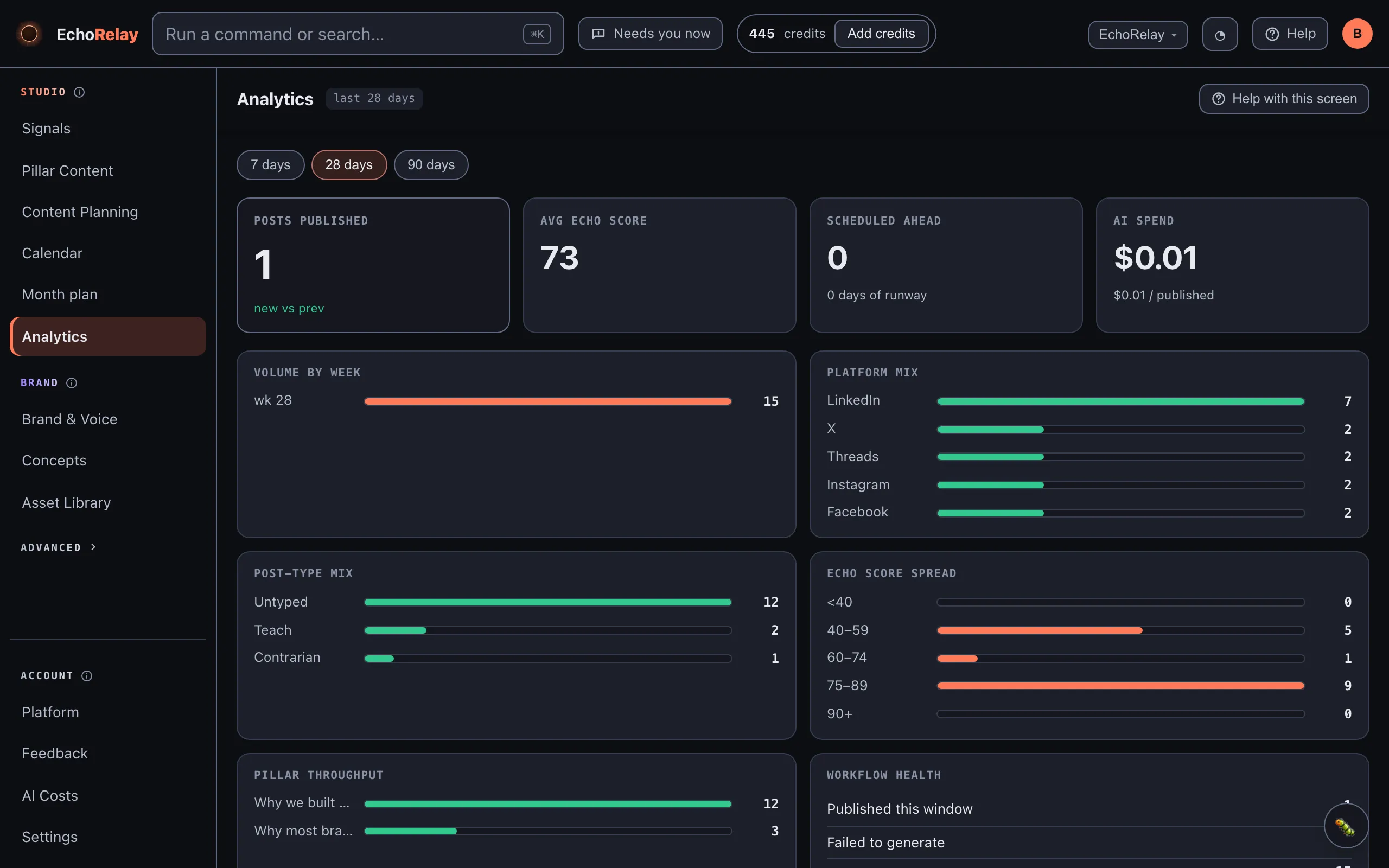
Analytics
Section titled “Analytics”Analytics shows your published posts over the last 30 days, each with its views, likes and comments, the channel it went out on, and its Echo Score.
These numbers are also what the Echo Score is built from - as real results come in, its read on your ideas calibrates to what actually works for you.
When the numbers appear
Section titled “When the numbers appear”Performance data only arrives once posts have published through a posting partner, and only from partners that report analytics back. Metricool and the native platform connections do; Post Bridge does not, and that’s flagged when you connect it. Until your first post has gone out and reported back, Analytics points you to Content Planning to schedule one.
AI Costs
Section titled “AI Costs”AI Costs is an honest ledger of your AI spend this month: one total, then a breakdown by model (and its provider) and by workflow, so you can see whether the money went on generating copy, images, ranking signals, and so on.
Every paid call is metered before it’s made and recorded the moment it’s billed - including a call that failed after the provider charged, so nothing is spent silently. If you’re on a managed plan, this is your own-account spend; the plan’s included credits are tracked separately under Plan & usage in Settings.